







v1.0.0
Initial release


Arm Swell, play the source sound in Bitwig, then drag the default one-bar swell to the timeline start on the second track.
Swell lets you shape reverse reverbs right as you hear them. Pick any sound. Tweak it and listen to every change instantly, without bouncing a thing.
Then drag it straight to your track.
Custom Sounds
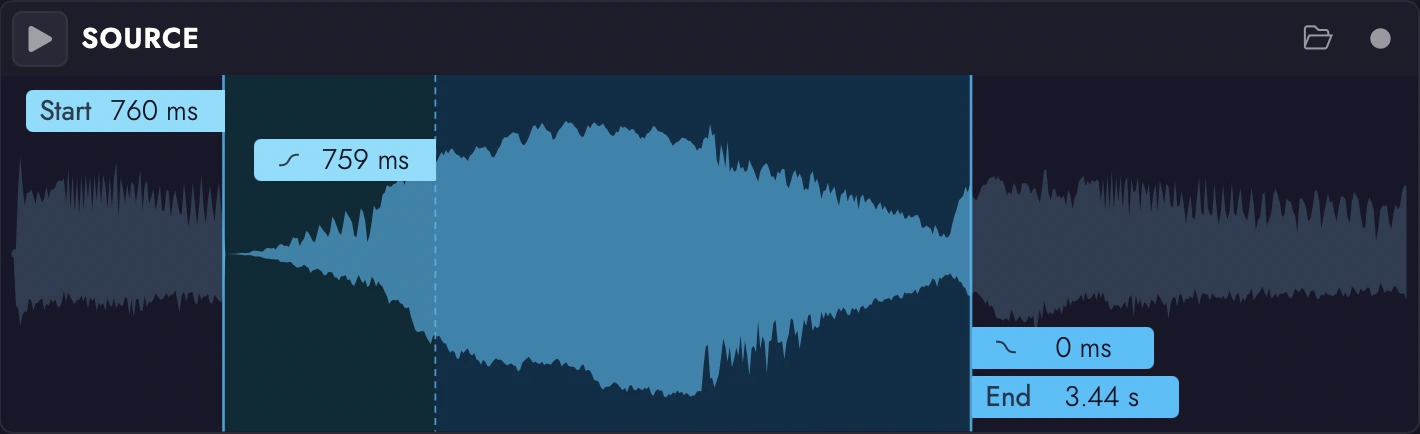
Drag in any sound or record directly from your DAW. Trim it, fade it, and turn it into a swell made from the very sound it’s leading into.

Character Pad
From smooth and subtle to ridiculously dramatic. Explore different combinations of reverb size, density, and modulation with a single sweep across the Character Pad.
Volume Curve
Set its length, shape its volume, and control every rise and fall. Draw your own curve to create smooth transitions, dramatic buildups, or rhythmic effects.
v1.0.0
This download includes a fully featured 7 day trial!
 CLAP
 VST3 CLAP VST3
 AU
The audio could not be played. Select Play to try again.
Swells with different characters leading into a variety of sounds. All Swells are unprocessed.
The same Swell at different character settings.
The same Swell at different character settings.
The same Swell at different character settings.
The same Swell at different character settings.
A plain saw wave running through Scintillate at various settings in free mode.
Some basic chords running through Scintillate at various settings in free mode.
Sparkles being triggered rhythmically at different rates.
Sparkles being triggered by incoming MIDI at different velocities.